OpenAI Assistants API · closed August 26, 2026
An OpenAI Assistants API alternative that keeps threads and runs
OpenAI turned off /v1/assistants and /v1/threads. Its replacement, the Responses API, is a different object model, so moving there means rewriting how your agent holds state and runs its tools. Glytos keeps the shape you built against: an agent holds the instructions, a thread holds the conversation, and a run is one turn on it.
Past threads and messages were held by OpenAI and cannot be imported. The definition can.
Last updated
What changed
What OpenAI turned off
Worth being precise about, because it is easy to read as bigger or smaller than it was.
Your options
There are three honest ways forward, and one of them is not us
Something gets rebuilt either way. It is worth knowing which rebuild you are choosing.
Move to the Responses API
Stay entirely inside OpenAI. You rewrite state handling, tool loops and streaming against the new object model, and you keep owning the orchestration, the retries and the observability yourself.
Text-only agents woven deeply into OpenAI, with engineering time to spend on the rewrite.
Build it yourself
A framework or your own code. You own threads, retries, tool execution, logging and the billing arithmetic. Nothing is hidden from you, and nothing is done for you either.
Agents that are one component inside a larger system you already run and monitor.
Move to Glytos
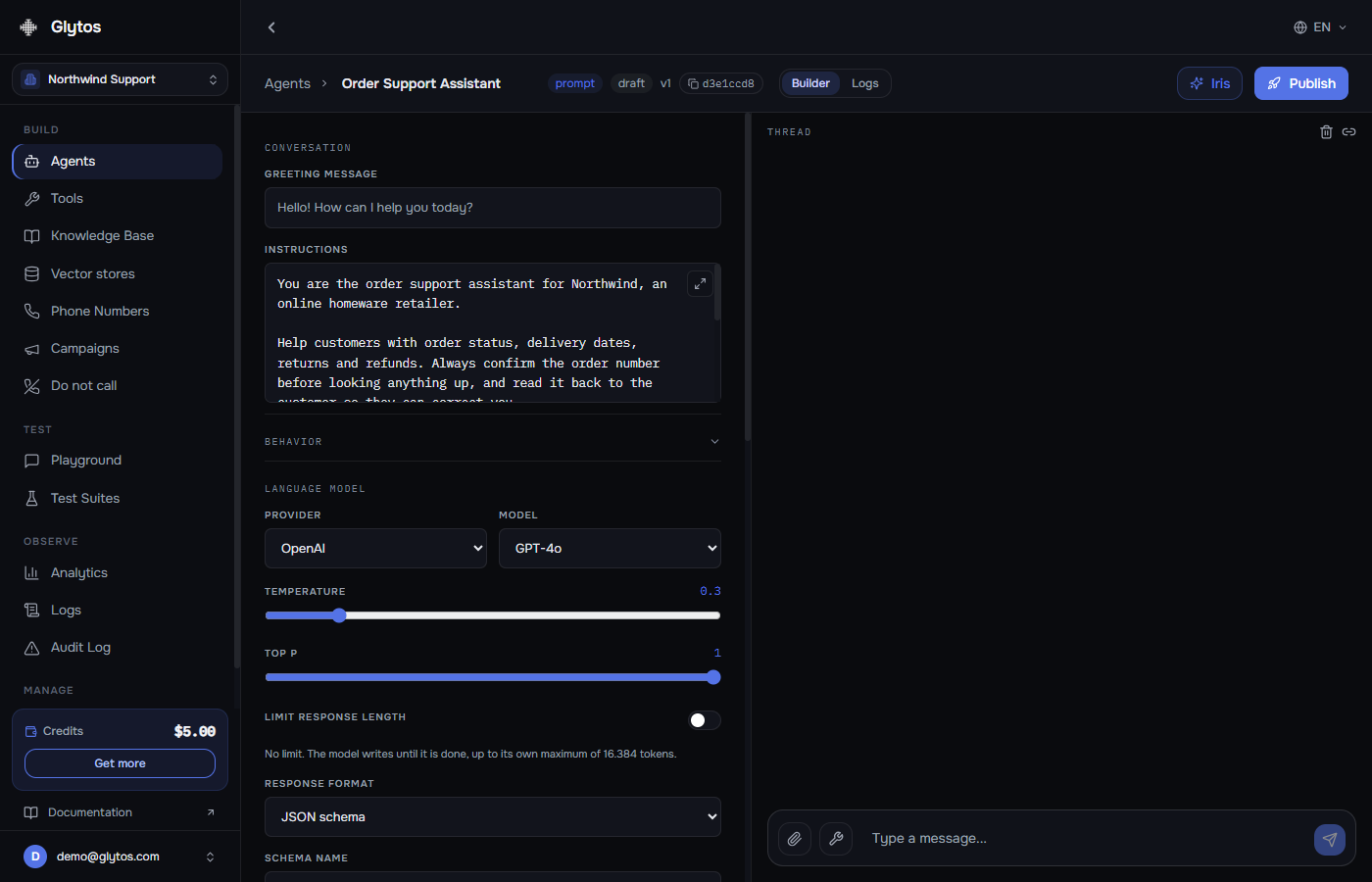
Your assistant's definition becomes a Glytos agent with the same instructions, model and JSON schema, and conversations keep the thread-and-run shape. Bring your OpenAI key and its token cost stays between you and OpenAI. What you gain is a platform that also runs voice and phone, and a cost breakdown for every conversation.
Agents where the assistant is the product, and where text was only ever half of what you wanted.
Parity
Where each part of an Assistant lives here
The honest version, including the rows that are not automatic and the one that cannot come across at all. The importer reports the same thing for your actual assistant.
| In your Assistant | In Glytos | Status |
|---|---|---|
| Instructions | Agent system prompt | Imported |
| Model, temperature, top_p | Agent model settingsImported as they were, then editable. The model becomes a dropdown rather than a fixture of the assistant. | Imported |
| response_format | Structured outputsjson_object and json_schema both carry over. A strict schema is adjusted automatically to the form OpenAI requires, so it does not start rejecting requests. | Imported |
| Function tools | HTTP toolsName, description and JSON schema come across. The endpoint behind a tool is not something an Assistant stores, so you set the URL and auth once per tool. | Imported |
| Strict function calling | Strict tools | Built in |
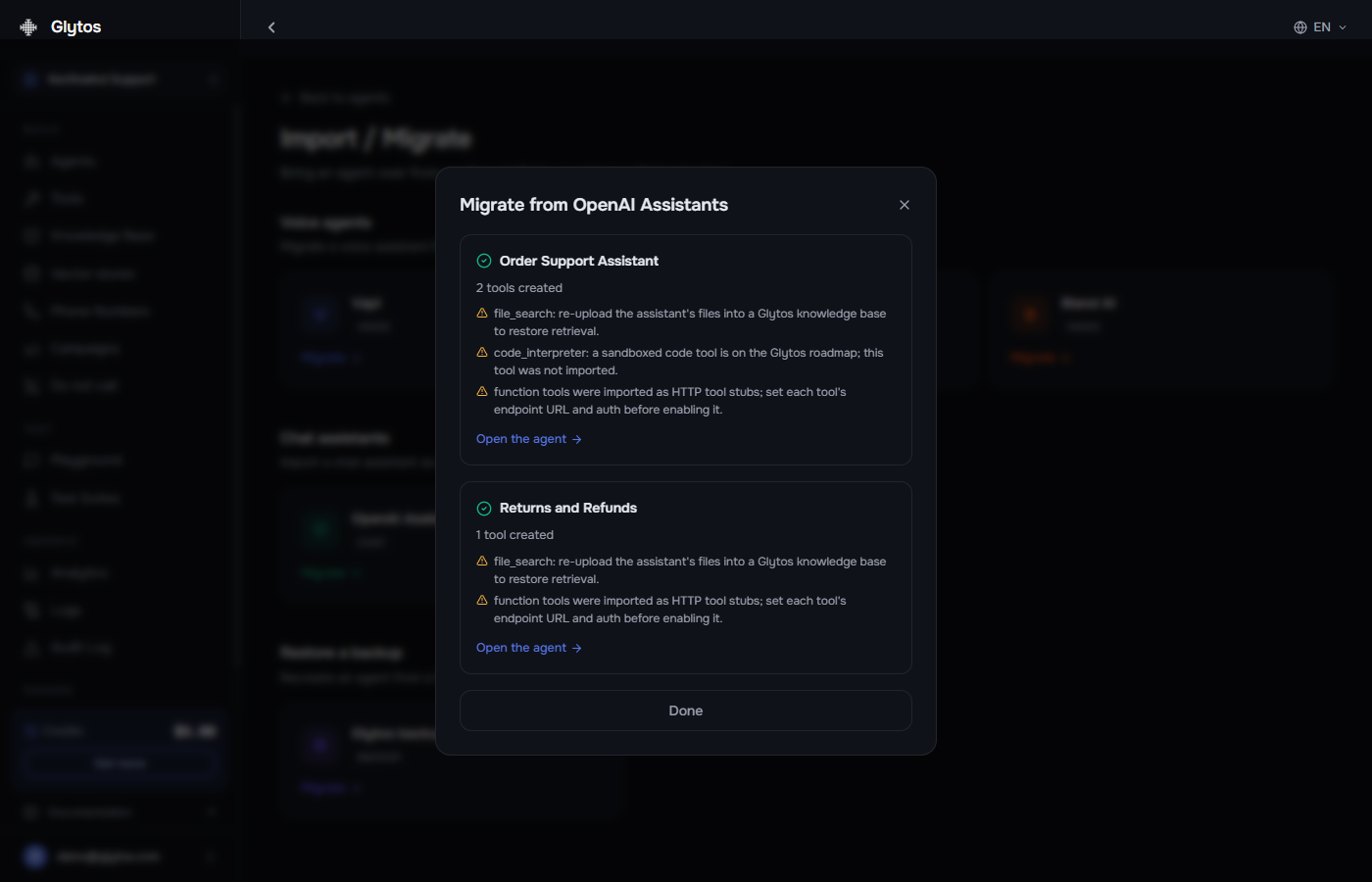
| File Search | Knowledge base and vector storesThe import does not transfer files, so upload the documents here. Retrieval is hybrid: vector similarity plus full-text search over the same documents. | Manual step |
| Code Interpreter | Not carried overThe importer does not bring Code Interpreter tools across. Get in touch if an assistant of yours depends on running code. | Not imported |
| Streaming | Server-sent token streaming | Built in |
| Vision | Image input | Built in |
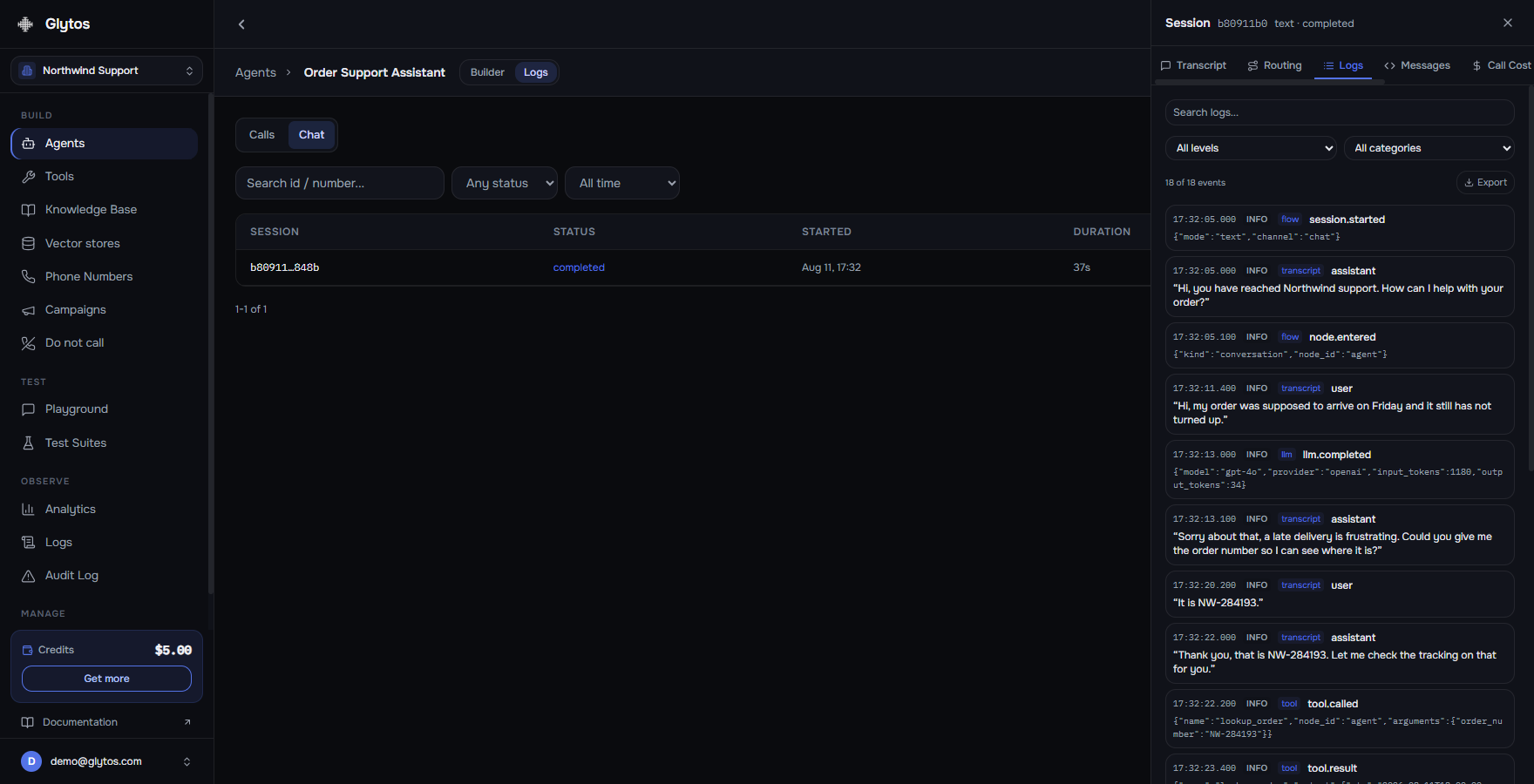
| Threads and runs | Threads and runsEvery Glytos server SDK has a threads resource with runs and messages. Each thread keeps its transcript, its event timeline and its cost, and can be replayed against a newer version of the agent. | Built in |
| Files attached to a run | Conversation files | Built in |
| Past threads and messages | Not recoverableThey were held by OpenAI and were reachable only through the API that closed. | Not imported |
| No equivalent | Voice, phone numbers, outbound campaignsNothing an Assistant could do. Voice agents are their own kind here, built from the same prompt and running on the same engine, on a number you connect from your own carrier. | New here |
Once it lands
Chat is its own kind of agent here, not a bolt-on
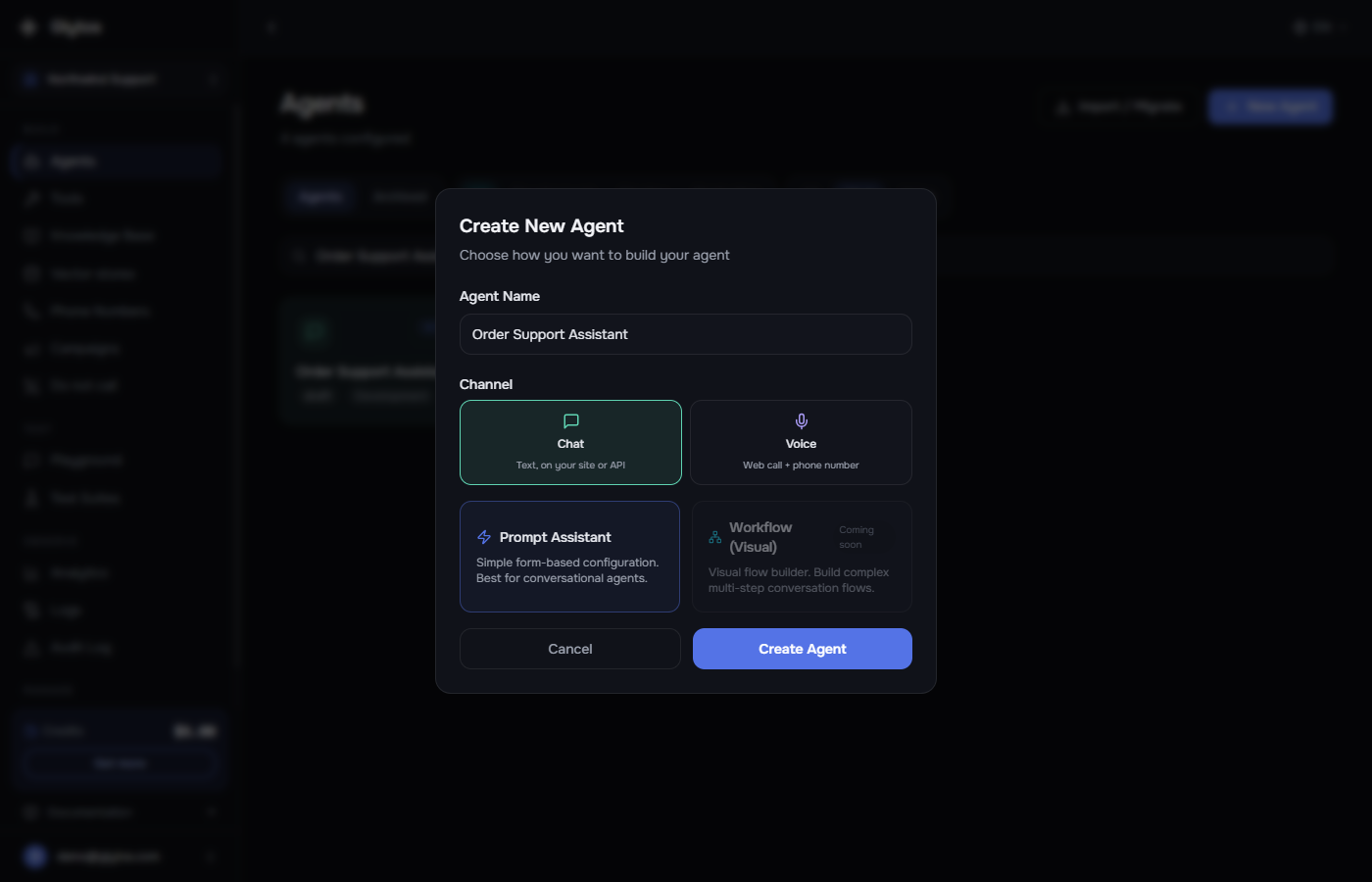
Glytos is known for voice, so this is worth showing rather than claiming. A chat agent is a first-class type with its own builder, and an imported definition arrives in it verbatim - the same prompt, the same model settings, the same JSON schema, ready to edit.
Rebuild
Four steps from a definition to a live agent
Most assistants were created from code, so the instructions, model and tool schemas usually already sit in your repository. That definition is all the import needs.
- 1
Gather the definition
The object your code passed when it created the assistant: name, instructions, model, response_format and tools. An assistant JSON saved before the shutdown has the same shape.
- 2
Import it
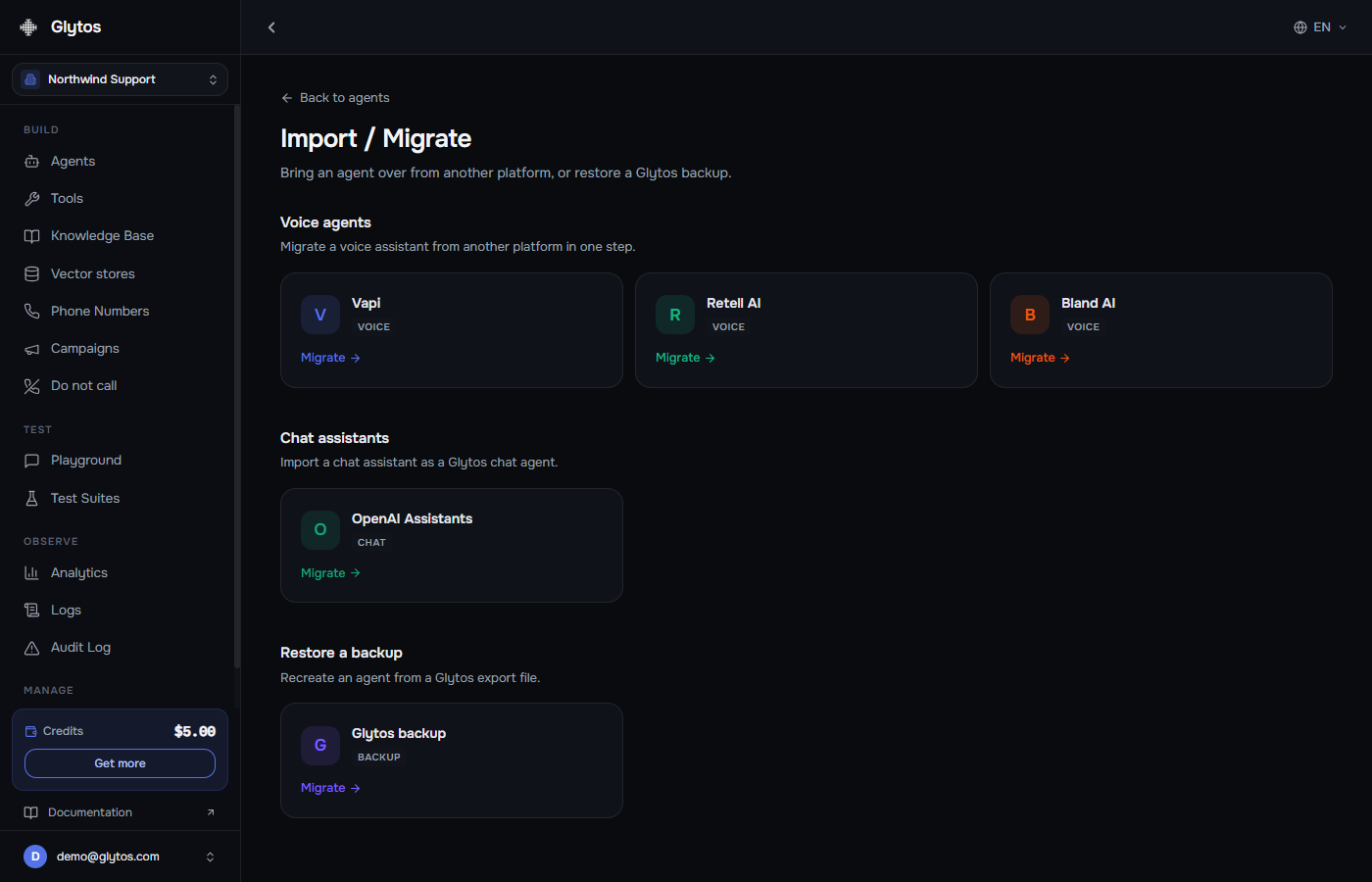
Paste it under Agents, Import / Migrate, OpenAI Assistants, or send it to POST /imports/openai-assistant, which every Glytos server SDK wraps. Each definition becomes its own agent.
- 3
Read the import report
It names exactly what came across and what is still waiting on you: which tools need an endpoint, and whether the assistant used File Search and needs its documents uploaded.
- 4
Finish the tools and move your calls
Point each imported tool at its endpoint and try the agent in the playground. Then swap the thread and run calls in your code for Glytos threads and runs.
After the move
What it gets once it is a Glytos agent
Parity is the floor. This is the part that makes the rebuild worth doing rather than merely necessary.
Voice, without a second platform
Chat and voice run on the same engine here. Build a voice agent from the prompt you just imported, give it a number from your own carrier or a SIP trunk you bring directly, and it takes calls - same model, same tools, same session logs.
Cost you can see per conversation
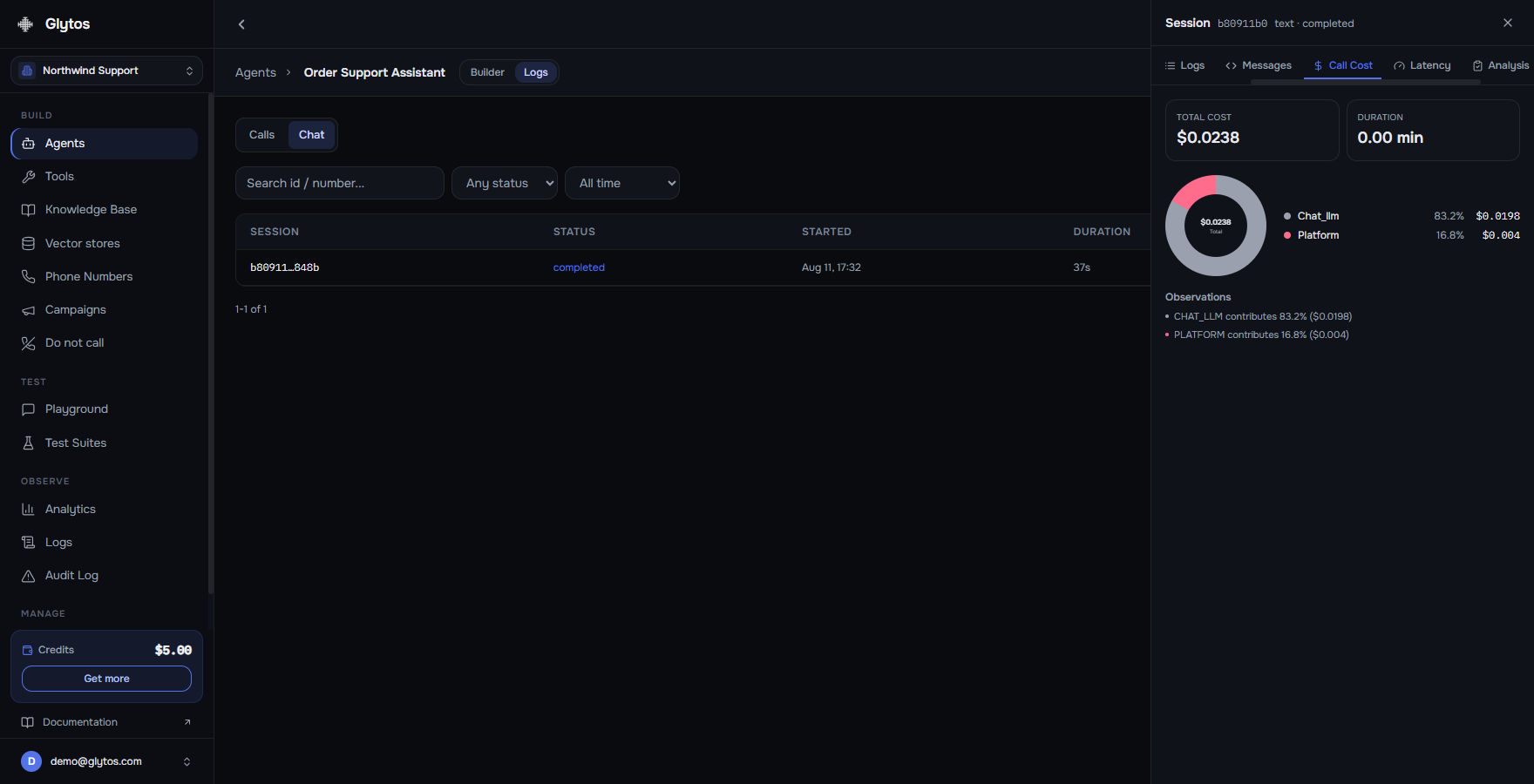
Every session shows what it cost, split into model tokens, speech and platform fee. Not a number you reconcile at the end of the month - a number attached to the conversation that caused it.
Not tied to one vendor's model list
Your assistant arrives on the model it was already using, and after that the model is a dropdown - OpenAI, Anthropic, Google, xAI and several more. Moving an agent between them is a setting, not a rewrite: the prompt, the tools and the response schema all come with it.
The whole decision trail
Transcript, tool calls, retrieval hits, routing decisions and latency on one timeline per session. When an agent answers oddly, the reason is on the screen rather than in a reproduction attempt.
Development, staging, production
Three environments per organisation with promotion between them, so you can rebuild a prompt without touching the agent your customers are talking to right now.
An exit that actually works
Export any agent as portable JSON with no secrets in it, and keep it wherever you like. A platform you are being asked to move to should never hold your agent the way a closed API held your threads.
Pricing
Your model bill does not change
Bring the OpenAI key you already use and your token cost stays between you and OpenAI, exactly as it was - and the same holds for any other provider you bring a key for. Glytos charges a tenth of a cent for each reply that actually ran the model; a canned message or an empty response is never billed. A thousand replies is a dollar.
No key of your own? We can run it on ours at provider list price plus a transparent margin. Voice, if you add it, is metered separately. How pricing works
Questions
What people ask before rebuilding
When did the OpenAI Assistants API shut down?
On August 26, 2026. Requests to /v1/assistants, /v1/threads and the endpoints around them no longer work. OpenAI announced the deprecation a year in advance and lists it on its deprecations page.
Can I still import assistants from my OpenAI account?
No. That import read your assistants through OpenAI's API, so it stopped when the API closed. Importing from a definition still works: paste the assistant's JSON in the app, or send it to the import endpoint.
Can I get my old threads and messages back?
Not through Glytos. They were held by OpenAI and reachable only through the API that closed, so there is nothing left for an import to read. A rebuilt agent starts a fresh history.
I do not have the JSON. Can I still move?
Usually, yes. An assistant created from code has its instructions, model and function schemas in that code, and that is everything the import uses. You can also create a chat agent directly and paste the instructions into it.
What happens to my File Search files?
The import does not transfer them. Upload the documents into a Glytos knowledge base or vector store; the import report tells you when an assistant used File Search. Retrieval here is hybrid - vector similarity merged with full-text search.
Do my function tools keep working?
Their names, descriptions and JSON schemas are imported and the agent knows how to call them. The endpoint behind each tool is not stored on an Assistant, so it is the one thing you supply: a URL, and auth if it needs it.
Can I keep using OpenAI models, or move to another provider?
Both. The import keeps the model your assistant was already on, and with your own key its token cost never appears on your Glytos bill. Changing it afterwards is one setting. Wired in today: OpenAI, Anthropic, Google, xAI, DeepSeek, Mistral, Perplexity, Together and MiniMax, with around seventy models between them. The prompt, tools and response schema carry over unchanged when you switch.
What replaces threads?
Threads. Every Glytos server SDK has a threads resource with runs and messages, so code shaped around threads and runs keeps that shape. Each thread holds its transcript, event timeline and cost, and a recorded conversation can be replayed against a newer version of the agent.
Can I leave later?
Yes. Export any agent as portable JSON containing no secrets, and import it elsewhere or keep it as a backup. Being easy to leave is the point of a platform you are being asked to move to.
What is the best replacement for the OpenAI Assistants API?
It depends on what the assistant is for. If it is text-only and tied deeply to OpenAI, the Responses API is the official replacement and a reasonable one. If the assistant is the product - if you want it answering on a phone line, costed per conversation, and observable turn by turn - a hosted platform is the better replacement, and Glytos keeps the thread-and-run model, so you rebuild the definition rather than the architecture.
Do I have to move to the Responses API?
No. It is OpenAI's replacement for its own orchestration layer, not a requirement for using OpenAI models. You can keep calling GPT models with your own key from anywhere, including from a Glytos agent, without adopting the Responses API at all.
Bring your assistant back online
Paste the definition, wire up the tools and move the thread calls. The import report tells you what is left.
OpenAI closed its Assistants API on August 26, 2026. Glytos agents were not affected.